Delivery & Ownership
Software Handover Checklist: What You Should Receive When an Agency Finishes Your Project
A complete software handover checklist: code, accounts, documentation, data, knowledge transfer, contract clauses, and the tests that prove you can run the system without your developer.

Article summary
Key takeaways
- A proper handover transfers seven things: code, accounts and access, infrastructure, documentation, data, knowledge, and legal ownership. Most failures happen in accounts and knowledge, not code.
- The single biggest red flag: your cloud accounts, domains, or code repository are in the agency's name.
- Maintenance and support can make up an estimated 50–60% of a system's total lifetime cost, which is why a bad handover is expensive for years, not days.
- Documentation does not capture everything. Plan for live knowledge transfer sessions as well as written docs.
- Don't trust a handover until you have tested it: a clean-machine setup test, a backup-restore test, and a "new developer" test.
- Agree on handover terms before the project starts, in the contract and in the acceptance criteria.
Your checklist progress
0 of 35 complete
Saved in this browser.
The checklist, the contract clauses, and the tests that prove you actually own what you paid for.
The launch party is not the end of a software project. The real test comes six months later, when a developer is unavailable, a server needs moving, or a new team has to add a feature, and you find out whether you own a working system or a black box.
Handover is the part of software delivery that is least discussed and most often skipped. This guide explains what a proper handover includes, gives you a copy-and-use checklist, and shows you how to test that the handover is real before you pay the final invoice.
Why handover matters more than most people think
Software spends most of its life being maintained, not built. One analysis of vendor-to-internal handovers notes that maintenance and support can account for roughly 50–60% of a system's total cost of ownership, and that organizations leaning heavily on vendor-led development without internal involvement face higher risk after the vendor leaves (BlueOptima (opens in a new tab)).
Research on the topic is thin. Academic work has described software handover as a strongly under-researched area with few up-to-date process models. In practice that means many teams improvise, and learn the lesson the hard way.
What goes wrong most often:
- The "why" disappears. Code shows what the system does. It rarely explains why decisions were made. That knowledge walks out with the team.
- Access is tied to individuals. Credentials live in someone's personal email or password manager.
- Nothing runs without the original developer's laptop. Setup steps exist only in one person's head.
- No one has ever restored a backup. Backups exist, but nobody has proven they work.
- Third-party accounts are in the vendor's name. Payment gateway, email service, maps, domain, app store.
One vendor blog estimates that written documentation captures about 60–70% of the important context, and the remainder needs hands-on transfer. That figure is a single source's estimate, not a measured standard, but the direction is right: docs plus live walkthroughs beat docs alone.
The seven things a proper handover transfers

1. Code
You should receive the complete source code in a repository you own, with history, not a zip file.
- Repository in your GitHub, GitLab or Bitbucket organization
- Full commit history preserved
- Clear branch and release structure
- A README that explains how to run, test and deploy
- No secrets (passwords, API keys) stored in the code
- A list of third-party libraries and their licenses
2. Accounts and access
Every service the product depends on should be under your ownership, with the agency added as a collaborator, not the other way round.
- Domain registrar and DNS
- Cloud hosting (AWS, Google Cloud, Azure, DigitalOcean, etc.)
- Database accounts
- Email and SMS providers
- Payment gateway
- Analytics and error monitoring
- App store accounts, if you have mobile apps
- Third-party APIs and their keys
- Admin accounts for the product itself
Use a shared password manager for credentials, never chat messages or email.
3. Infrastructure
You should be able to understand and, ideally, recreate the environment:
- Architecture diagram (what runs where)
- List of environments (development, staging, production) and how they differ
- Deployment process, ideally automated (CI/CD)
- Infrastructure configuration stored as code where possible
- Environment variables list (names and purpose, not secret values in documents)
- Monitoring, logging and alerting setup
- Backup schedule, retention and a tested restore procedure
4. Documentation
Aim for documentation that a competent stranger could use.
- README: setup, run, test, deploy
- Architecture overview: components, data flow, key decisions and why they were made
- Data model / database schema with notes on important tables
- API documentation: endpoints, authentication, examples
- Runbooks: what to do when something breaks (site down, payments failing, email not sending)
- Admin guide: how staff use the admin panel
- User guides or training material, if end users need them
- Known issues and limitations (honest list)
- Change history / release notes
5. Data
- Production data is in a system you control
- Export procedures documented and tested
- A data dictionary describing what fields mean
- Privacy and retention notes: where personal data is stored and for how long
- Any migration scripts, with notes on what they did
6. Knowledge
This is the part checklists miss. Schedule live sessions where the delivery team walks your team (or your next developer) through:
- The architecture and the riskiest parts of the code
- Deploying a change, start to finish
- Handling a typical incident
- Where the "weird" parts are and why they exist
Record these sessions. A recorded walkthrough costs little and saves a lot.
7. Legal ownership and commercial terms
- IP assignment: written confirmation you own the code, effective on payment
- Third-party and open-source license inventory
- Warranty or bug-fix period (see below)
- Support terms: what is covered, response times, costs
- Confidentiality and data-protection terms
- Exit and transition assistance, in case the relationship ends
The copy-and-use handover checklist
Copy this into your project tracker. Every box should be ticked and verified before final payment.
Code and repository
- Source code is in a repository owned by us
- Full commit history is intact
- README explains setup, run, test and deploy
- No passwords or API keys committed in the code
- Dependencies and licenses are listed
- Automated tests exist and pass
Accounts and access
- Domain and DNS are in our name
- Cloud hosting account is owned by us
- Database and storage accounts are owned by us
- Third-party services (payments, email, SMS, maps, analytics) are in our name
- Credentials are stored in a shared password manager
- The agency's access is documented and revocable
- Admin accounts for the product are created and handed over
Infrastructure and operations
- Architecture diagram provided
- Environments (dev, staging, production) are documented
- Deployment process is documented, ideally automated
- Environment variables are listed with purpose
- Monitoring and alerts are configured and routed to us
- Backups are scheduled and a restore has been tested
- SSL certificate renewal is automated or documented
Documentation
- Architecture overview with decision rationale
- Database schema and data dictionary
- API documentation
- Runbooks for common incidents
- Admin guide and user guides
- Known issues and limitations list
- Release notes
Knowledge transfer
- Walkthrough session(s) completed and recorded
- A deployment was performed by us with the agency watching
- A named contact for post-launch questions is agreed
Legal and commercial
- IP assignment in writing
- Open-source license inventory
- Warranty / bug-fix period defined
- Support model and pricing agreed
- Exit and transition assistance clause agreed
Contract clauses to ask for
Handover works best when it is written down before the project starts. Ask for:
- IP ownership. All custom code and deliverables assigned to you on payment.
- Repository and account ownership. Code and cloud accounts created in your name from day one.
- Handover as a deliverable. Documentation and knowledge transfer listed as milestones with acceptance checks, not as goodwill.
- Warranty period. A fixed period after launch (commonly 30 to 90 days) in which defects against the agreed scope are fixed at no extra cost.
- Transition assistance. A set number of hours for questions and support if you move to another team.
- Third-party and open-source disclosure. A list of components and their licenses.
- Credential handling. Agreement on how secrets are stored and rotated.
- Termination terms. What happens to code, accounts and data if either side ends the contract.
Have a lawyer review the final wording. This article is general guidance, not legal advice.
Prove it: the three handover tests
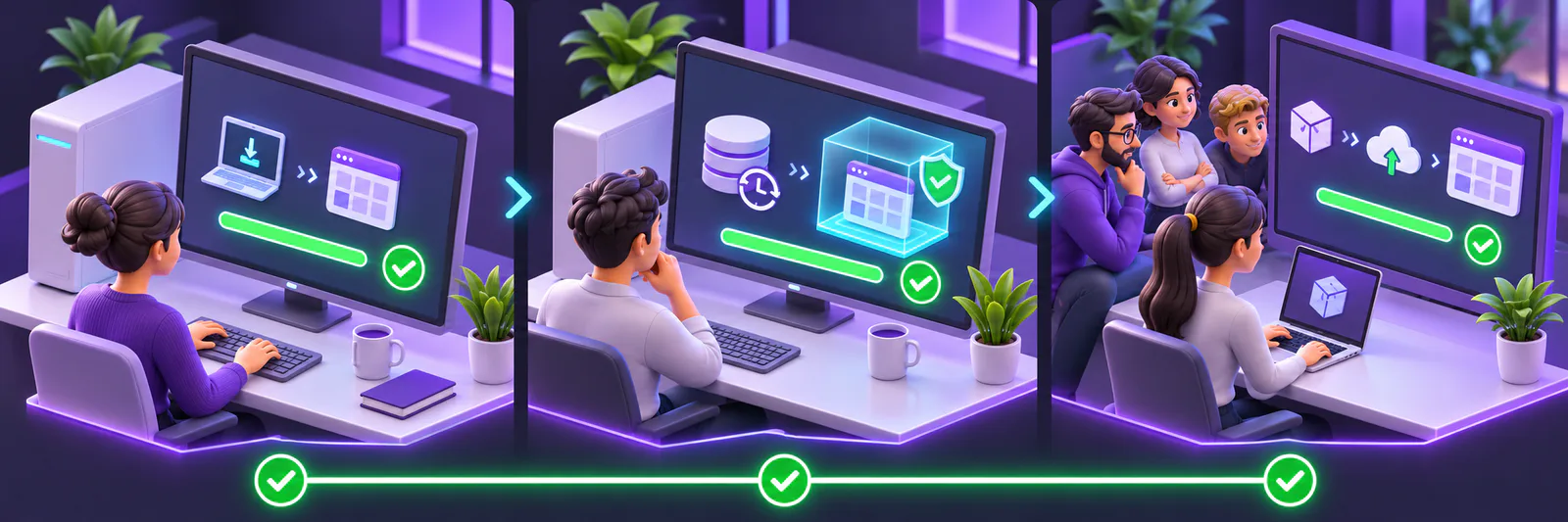
A handover is real only if you can run the system without the people who built it. Run these before you sign off.
Test 1: The clean-machine test
Ask someone who has not worked on the project (your own developer or a trusted outside one) to set up the system from scratch using only the README and docs. If they can get it running in a few hours, the documentation works. If they need to message the original developer repeatedly, it does not.
Test 2: The restore test
Restore the latest backup into a separate environment and confirm the data is complete and the application runs. A backup that has never been restored is a hope, not a backup.
Test 3: The deploy test
Have your team deploy a small change to production (or staging) while the agency watches but does not touch the keyboard. This proves you have the access, the process and the knowledge.
Optional but powerful: the "bus factor" question. Ask, "If the lead developer were unavailable tomorrow, who could fix a production problem, and how?" The answer should not be "nobody."
A realistic handover timeline
| When | What happens |
|---|---|
| At project start | Agree ownership of code and accounts; set up repositories and cloud accounts in your name |
| Throughout the build | Documentation written as the work is done, not at the end; decisions logged |
| 4 weeks before launch | Handover plan agreed; list of accounts, docs and sessions confirmed |
| 2 weeks before launch | Documentation review; run the clean-machine and restore tests |
| Launch week | Deployment by your team, with the agency supporting |
| Weeks 1–4 after launch | Warranty period: defects fixed; questions answered; recorded sessions finished |
| Day 30–90 | Final sign-off; transition to support model |
After handover: warranty, maintenance, and change requests
Three different things get confused, and confusion causes disputes:
- Warranty: fixing defects against the agreed scope for a limited time after launch.
- Maintenance: ongoing work such as security updates, dependency upgrades, monitoring, and small fixes. A common planning figure is 15–20% of the build cost per year, in addition to hosting.
- Change requests / new features: new work, scoped and priced separately.
Common support models:
| Model | Good for | Watch for |
|---|---|---|
| Retainer (fixed monthly hours) | Ongoing small improvements and fixes | Define what happens to unused hours |
| Pay as you go | Low-change products | Slower response; no guaranteed capacity |
| Maintenance plan | Security and update coverage | Make sure scope and response times are written down |
| Bring in-house or switch vendor | Growing products | Needs strong handover and documentation |
Agree the support model before launch so you are not negotiating under pressure with a broken system.
Red flags during handover
- The agency holds the cloud, domain or app store accounts
- Code is "shared" through a zip file or a private link instead of a repository
- No README, or a README that says "contact the developer"
- Passwords sent over chat or email
- "We'll document it later"
- Reluctance to run a restore test or let you deploy
- Vague answers about third-party licenses
- The only person who knows the system is leaving
- Final payment requested before handover tests pass
Taking over a project from a previous agency
Many teams read this article because the handover didn't happen and they are now stuck. If that is you, take these steps in order:
- Secure access first. Get ownership of the domain, hosting, repository and third-party accounts. Rotate passwords and keys once you have control.
- Take a full backup of code, database and files before touching anything.
- Audit the system. Get an independent developer to review the code quality, dependencies, security basics and deployment setup.
- Reconstruct the documentation. Start with an architecture diagram, environment list, and a "how to run it" guide.
- Identify the riskiest parts. Payments, authentication, data handling, and anything undocumented.
- Stabilize before adding features. Fix critical issues, add monitoring, and make backups reliable.
- Decide: stabilize and continue, refactor in stages, or rebuild specific modules.
A short paid audit is almost always cheaper than guessing.
Special handover items for AI and automation projects
If your project includes AI or automated workflows, add these to the checklist:
- Prompts and configuration: stored in the repository, versioned, with notes on why they are written the way they are
- Model and provider details: which model, which version, and what happens if the provider changes it
- Evaluation set: the test cases used to check quality, so you can detect regressions
- Usage and cost controls: spending caps, alerts, and rate limits
- Human-in-the-loop points: which decisions require human approval, and who approves
- Data handling: what data is sent to third-party providers, and under what terms
- Fallback behavior: what the system does when the AI service fails or returns something unusable
Handover document template
Ask your delivery team to provide a single "handover pack" with these headings:
- Project summary and scope delivered
- Architecture overview and diagram
- Environments and URLs
- Accounts and ownership register (service, owner, who has access)
- Deployment guide
- Configuration and environment variables
- Database schema and data dictionary
- API reference
- Monitoring, logging and alerts
- Backup and restore procedure (with test date)
- Runbooks for common incidents
- Known issues and limitations
- Third-party and open-source licenses
- Support and maintenance terms
- Contacts and escalation path
Make handover part of the plan from day one
At Macro Encode, delivery includes a practical path for deployment, documentation, and ownership. Scope, acceptance checks and handover are agreed up front, so you are never wondering who owns what at the end.
Sources and notes: maintenance share of total cost of ownership and vendor-led handover risks from BlueOptima's Vendor Handover Hazards research; the 60–70% documentation estimate comes from a single vendor blog and is directional. Warranty periods, timelines and checklist items reflect common industry practice and should be adapted to your project and reviewed against your contract. This article is general guidance, not legal advice.
Common questions