AI & Automation
AI Automation for Small Business: 10 Workflows Worth Automating (and 5 You Should Leave Alone)
Which business workflows are worth automating with AI, which are not, what it costs, and how to prove ROI in 90 days. Includes a selection test, a ROI formula, and human-in-the-loop design.

Article summary
Key takeaways
- Most AI disappointment is a scoping problem, not a technology problem. In a 2026 Gartner survey of 782 infrastructure and operations leaders, only 28% of AI use cases fully succeeded and met ROI expectations, while 20% failed outright. Gartner attributed the failures mainly to initiatives that were overly ambitious or poorly scoped.
- Start with one workflow that is frequent, rule-based enough to describe, and cheap to get wrong. Prove it in about 90 days, then expand.
- Many "AI" projects need no AI at all. Plain automation (if this, then that) is cheaper, faster and more predictable. Use AI only where the task involves reading, summarizing or classifying messy text.
- Keep a human approval step wherever a mistake would cost money, trust or legal exposure.
- Small projects are affordable. Published 2026 ranges for a focused set of three to five workflows start in the low thousands of dollars, with monthly running costs usually in the tens to hundreds. Larger custom builds reach tens of thousands.
- Where labor is inexpensive, justify automation by speed, accuracy and captured revenue, not only by wages saved.
A practical guide to choosing what to automate, what it costs, and how to know it worked.
Every week a new tool promises to "automate your business with AI." Some of that is real. A lot of it ends in a half-working chatbot, a pile of workflows nobody maintains, and a team that quietly goes back to doing things by hand.
The difference between the two outcomes is rarely the technology. It is choosing the right workflow, keeping a human in the right place, and measuring the result. This guide shows you how.
First, what do we mean by "AI automation"?
Three terms get mixed together. Knowing the difference saves money.
| Term | What it does | Example | Predictability |
|---|---|---|---|
| Automation (rules) | Moves data and triggers actions on fixed rules | When an order is paid, create the invoice and notify the courier | Very high |
| AI-assisted automation | Adds AI for reading, classifying, summarizing or drafting inside a fixed workflow | Read an incoming enquiry, tag it, draft a reply for staff to approve | Medium (needs review) |
| AI agents | AI decides which steps to take and uses tools on its own | An assistant that researches, decides and acts across systems | Lower; needs tight limits |
Rule of thumb: use the simplest thing that works. If a rule can do it, use a rule. Add AI where input is messy (free text, PDFs, voice notes, photos). Treat autonomous agents with caution: Gartner has predicted that more than 40% of agentic AI projects will be canceled by the end of 2027, and its 2026 survey found failures concentrated in the more complex, agent-led use cases.
Why AI projects fail (and what to copy from the ones that don't)
The Gartner survey was of IT operations leaders in larger organizations, not small businesses, but the lessons transfer:
- 57% of leaders reported at least one AI failure, and many said they expected too much, too fast.
- 38% of those who faced setbacks named poor data quality or limited data availability as a direct cause.
- 38% pointed to persistent skills gaps.
- Success was tied to integrating AI into the systems and processes people already use, plus executive support and realistic business cases.
Source: Gartner press release, April 7, 2026 (opens in a new tab).
Translated for a small business:
- Don't automate a broken process. If your team does the task five different ways, AI will multiply the inconsistency. Write the steps down first.
- Fix your data first. Duplicate customers, inconsistent product names and missing fields produce wrong outputs, fast.
- Put it where people already work. An automation that lives in a separate dashboard nobody opens will die. Put results in the tools your team already uses: WhatsApp, email, your CRM, your accounting system.
- Have an owner. One named person decides, tests and signs off.
- Start small and measure.
The 4-question test for choosing a workflow
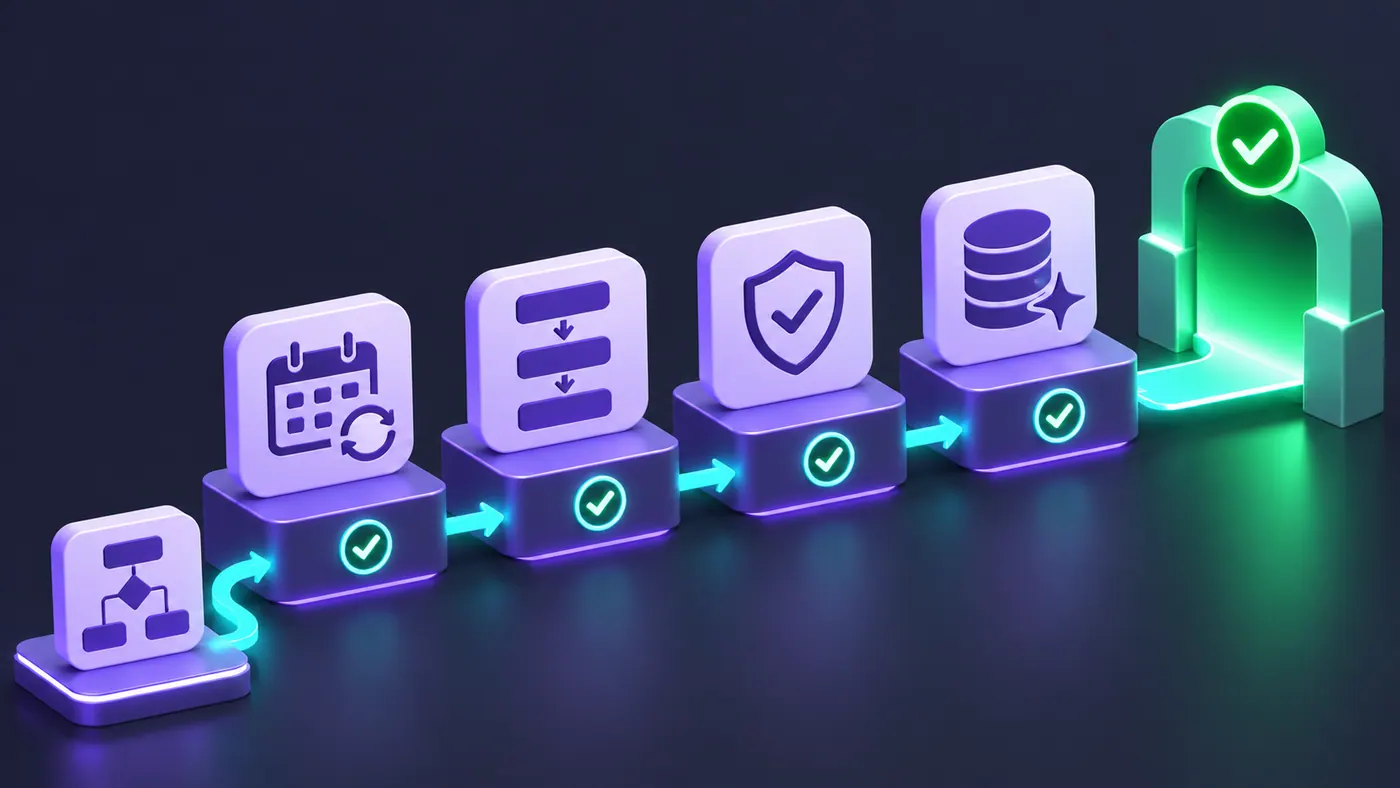
Score each candidate workflow from 1 (low) to 5 (high) on these four questions:
| Question | Why it matters |
|---|---|
| 1. Frequency: How often does this happen? | Volume creates payback. A task done twice a month rarely justifies automation. |
| 2. Clarity: Can you describe the steps and "what good looks like" in writing? | If you can't explain it, a system can't do it. |
| 3. Safety: If it goes wrong, is the damage small and fixable? | Low-risk tasks are the best starting point. |
| 4. Data: Is the information it needs available, digital and reasonably clean? | Missing or messy data is the top technical cause of failure. |
Multiply or add the scores. Workflows scoring high on all four are your first targets. A task that scores 5 on frequency but 1 on safety (for example, approving refunds) needs a human in the loop, not full automation.
How to calculate ROI before you build
Use this simple formula:
Annual benefit = (tasks per week × minutes per task ÷ 60) × share automated × loaded hourly cost × 52
Payback (months) = build cost ÷ (annual benefit − yearly running costs) × 12
Worked example (illustrative)
A trading business processes 300 supplier invoices and delivery notes per week, each taking about 4 minutes to type into the accounting system.
- Time spent: 300 × 4 ÷ 60 = 20 hours per week
- Share automated (with human review of exceptions): 80% → 16 hours saved per week
- Loaded hourly cost of the staff doing it: $8
- Annual benefit: 16 × $8 × 52 = $6,656
- Build cost: $5,000; running costs (tools, AI usage, hosting): about $100 per month = $1,200 per year
- Net annual benefit: $6,656 − $1,200 = $5,456
- Payback: $5,000 ÷ $5,456 × 12 = about 11 months
That is a decent project, not a miracle. And note what the formula leaves out: fewer typing errors, faster month-end close, and staff time redeployed to work that makes money.
A note for lower-wage markets
In markets such as Pakistan, the hourly cost of staff is lower than in the US or UK, so pure "hours saved" ROI looks smaller. Make your business case on the other three things automation does:
- Speed: replying to a lead in two minutes instead of two hours often decides who wins the sale.
- Accuracy: fewer wrong amounts, duplicate entries and missed follow-ups.
- Capture: enquiries and payments that were previously lost or forgotten.
If you can't put a number on any of those, the project probably isn't ready.
10 workflows worth automating
Each of these is common, relatively low-risk, and works best with a human checkpoint where noted.
1. Lead capture and instant first response
What: When someone fills a form, messages on WhatsApp or emails, the system logs the lead, sends an acknowledgement and notifies the right person. AI role: Optional. Classify the enquiry type and draft a personalized reply. Human checkpoint: Staff review before sending anything beyond a standard acknowledgement.
2. Enquiry triage and routing
What: Sort incoming messages (sales, support, billing, spam) and route each to the right person with the key details extracted. AI role: Good fit. Reading messy text is what AI does well. Human checkpoint: Low-confidence items go to a person.
3. Quote and proposal drafting
What: Pull customer details and price lists into a draft quote or proposal. AI role: Draft the cover text; keep prices and terms rule-based. Human checkpoint: Always. A person approves every quote.
4. Invoice and document data extraction
What: Read invoices, receipts, delivery notes or forms and enter the data into your accounting or inventory system. AI role: Strong fit for extracting fields from PDFs and photos. Human checkpoint: Review exceptions and anything above a set amount.
5. Payment reminders and receivables follow-up
What: Send polite, scheduled reminders for unpaid invoices and escalate after set dates. AI role: Usually none; rules are enough. Human checkpoint: Staff decide on escalation for key accounts.
6. Appointment scheduling and reminders
What: Let customers book, reschedule and receive reminders, reducing no-shows. AI role: Rarely needed. Human checkpoint: Exceptions and special cases.
7. First-draft customer support replies
What: Draft answers to common questions using your own policies and FAQs, with a handoff to a person for anything sensitive. AI role: Good fit, with the answers grounded in your documents. Human checkpoint: Approve drafts at first; allow auto-send only for narrow, well-tested question types.
8. Weekly reports and summaries
What: Pull numbers from your systems and produce a weekly summary: sales, outstanding payments, stock levels, open tasks. AI role: Helpful for writing a plain-language summary; the numbers must come from your data, not from the AI. Human checkpoint: Spot-check the figures regularly.
9. Customer and staff onboarding
What: Trigger checklists, welcome messages, document requests and account setup when a new customer or employee is added. AI role: Minimal. Human checkpoint: Sign-off on completion.
10. Order, stock and accounting sync
What: Keep your online store, inventory, accounting system and courier or delivery tools in step, so no one re-types orders. AI role: Usually none. This is an integration job. Human checkpoint: Alerts for failed syncs.
Notice how many of the best candidates don't need AI at all. Integration and rules-based automation are often the highest-return step. Our API and system integration work exists for exactly this.
5 things to leave alone (or approach with great care)
- Unstable or undocumented processes. If nobody agrees how it's done, fix the process first.
- High-stakes decisions without human review. Hiring, credit, medical, legal and disciplinary decisions should not be left to an automated system.
- Sensitive customer relationships. Complaints, negotiations and difficult conversations benefit from a person.
- Very low-volume tasks. If it happens a few times a month, the payback rarely appears.
- "An AI agent that runs the business." Start with narrow, supervised steps. Autonomy is something you grant gradually, after the system has earned trust.
Design for humans in the loop
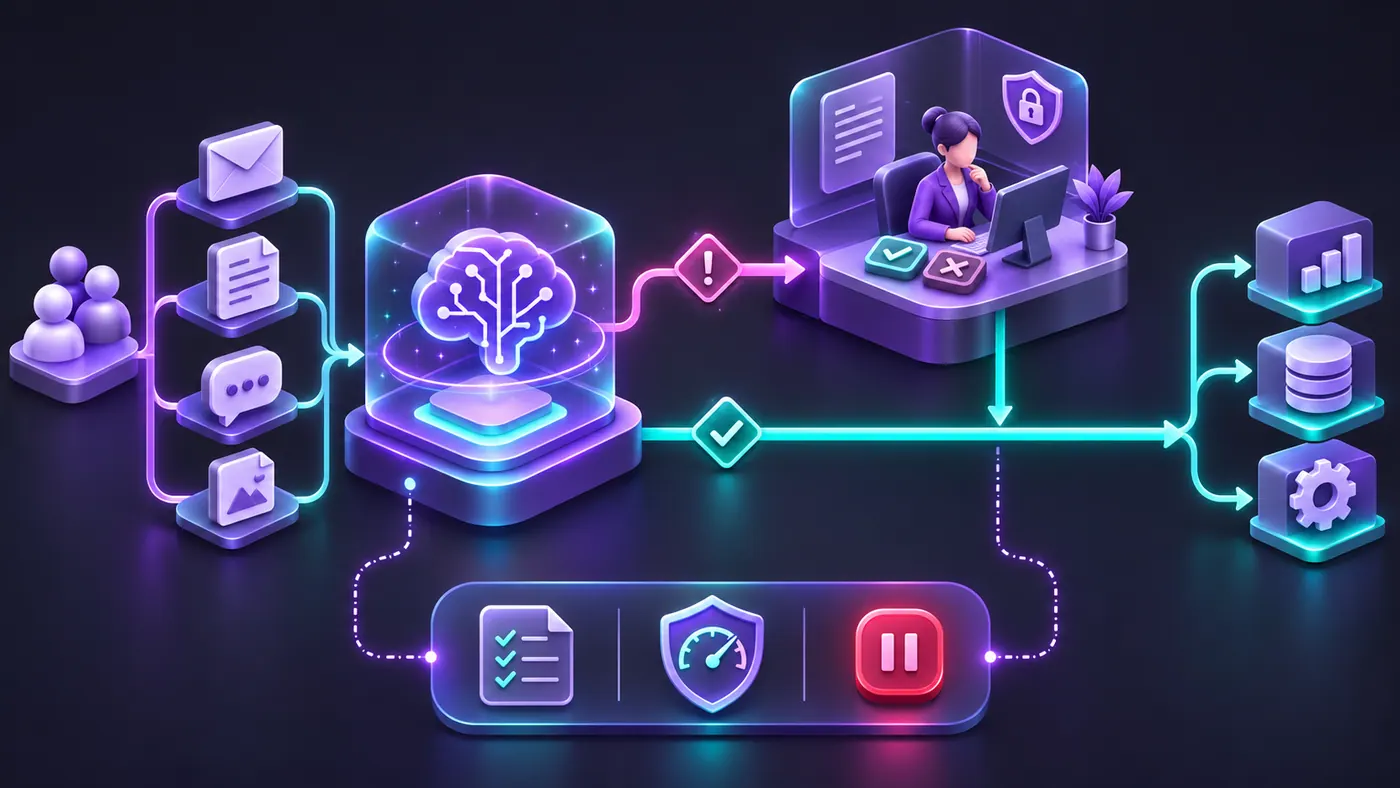
The most reliable automations are built so that people stay responsible for decisions. Build these in from the start:
- Approval gates. Define which outputs need a human before they leave the building.
- Confidence thresholds. Anything the system is unsure about is routed to a person.
- An audit log. Record what the system did, when, and based on what input.
- Spending and rate limits. Cap AI usage so a bug can't produce a surprise bill.
- A kill switch. One clear way to pause the automation.
- Fallback behavior. If the AI service is down or returns nonsense, the workflow degrades gracefully and alerts a person.
- Feedback. Make it easy for staff to flag wrong outputs, and review those flags weekly.
What does it cost?
Published prices vary widely, and most come from agencies selling the service, so treat them as a guide to the market rather than a quote.
| Type of project | Typical range reported | Notes |
|---|---|---|
| Off-the-shelf automation tools (Zapier, Make, n8n cloud) | About $50–$500 per month | You build it yourself; your time is the hidden cost |
| Small set of focused workflows (3–5), standard integrations | About $3,000–$8,000 build | One agency's published range for n8n-based projects |
| AI-enabled workflows | Add roughly 20–40% | Extra design, testing and guardrails |
| Ongoing support and maintenance | About $500–$3,000 per month | Agency retainers; depends on volume and complexity |
| Custom AI automation across several systems | About $30,000–$120,000 | One 2026 buyer's guide; 8–16 weeks |
Ranges from published 2026 guides by LowCode Agency (opens in a new tab) and RaftLabs (opens in a new tab), both of which sell these services.
Running costs are usually modest; building and maintaining is the real cost. For small workloads, AI model usage is often only a few dollars to tens of dollars per month. What costs money is designing the workflow, handling errors and edge cases, testing, and maintaining it when tools and models change. Plan for maintenance the same way you would for any software, roughly 15–20% of the build cost per year as a starting assumption.
Tools or custom code?
| Option | Good for | Watch out for |
|---|---|---|
| No-code tools (Zapier, Make) | Simple, linear workflows; quick pilots | Per-task pricing grows with volume; limited error handling |
| n8n or similar (self-hosted or cloud) | More complex flows, more control, lower cost at volume | Needs someone technical to host, secure and maintain it |
| Custom code | Core business logic, unusual systems, high reliability needs | Higher upfront cost; needs documentation and handover |
| A mix | Most real businesses | Keep a diagram of what connects to what |
Whichever you choose, own your accounts and keep a written map of every automation. See our software handover checklist for what to insist on.
Risks to manage
- Privacy. Sending customer data to third-party AI services has legal and trust implications. Know what is sent, where it is processed, and what the provider's terms say. Remove personal data you don't need.
- Accuracy. AI can sound confident and be wrong. Ground answers in your own documents and test with real examples.
- Prompt injection. Text from outside (emails, web forms) can contain instructions meant to trick an AI into misbehaving. Limit what the AI is allowed to do and never let it take irreversible actions on its own.
- Provider changes. Models and tools are updated or retired. Document which model you use and retest after changes.
- Over-automation. Customers notice when every interaction feels robotic. Keep human contact where it builds trust.
- Local language reality. If your customers write in a mix of English, Urdu and Roman Urdu, test with your real messages, not with clean English examples.
A 90-day plan
| Weeks | What to do |
|---|---|
| 1–2 | List your top 10 time-consuming tasks. Score them with the 4-question test. Pick one. Write the current steps down. Record today's numbers (volume, time, error rate). |
| 3–6 | Build a small pilot. Run it alongside the manual process. Keep a human approving outputs. |
| 7–10 | Measure against the baseline: time, errors, response speed. Fix the problems the pilot revealed. Document the workflow. |
| 11–12 | Decide: keep, improve, or stop. If it worked, pick the next workflow. |
Metrics worth tracking: time per task, error rate, response time, volume handled without human help, cost per task, and staff satisfaction. Review them monthly.
Not sure where to start?
Tell us what takes up your team's time, where it breaks, and what a good result would look like. We will help you pick one workflow worth automating, and tell you honestly if the answer is a simple integration instead of AI.
Sources and notes: success and failure figures from Gartner's April 2026 survey of 782 infrastructure and operations leaders and its public prediction on agentic AI project cancellations. Price ranges come from published 2026 guides by LowCode Agency and RaftLabs and are provided by vendors who sell these services. The ROI example and the 90-day plan are illustrative; use your own numbers.
Common questions