Planning & Scoping
How to Write a Software Project Brief (Free Template) and What a Good Discovery Phase Should Deliver
A step-by-step guide to writing a software project brief that gets accurate quotes: 14 sections, a copy-paste template, a worked example, a quality checklist, and what to expect from discovery.

Article summary
Key takeaways
- A brief is not a technical specification. It explains the problem, users, goals, priorities and constraints, and leaves the technical solution open for the team to propose.
- Clear requirements are one of the most consistent factors separating successful projects from troubled ones. The long-running Standish Group CHAOS research, widely cited though debated in methodology, has repeatedly pointed to incomplete or changing requirements and unclear objectives among the leading causes of trouble.
- The five parts that matter most: who it's for, the problem, what "success" looks like, what's in and out of scope, and the budget and timeline range.
- Share your budget range. It gets you proposals shaped to your reality instead of a guessing game.
- Separate must-haves from nice-to-haves and write down what is out of scope. That single page prevents most scope arguments.
- A brief of 2–4 pages is usually enough. Use discovery (typically 2–4 weeks) to turn it into a plan, a design direction and a firm estimate.
A practical guide to getting accurate quotes, fewer surprises, and software that solves the right problem.
Most software projects that go wrong don't go wrong in the code. They go wrong earlier, when what was wanted was never written down clearly. One person imagines a simple tool, another quotes a complex platform, and the gap between the two turns into change requests, delays and arguments.
A good project brief closes that gap. It doesn't need to be technical, and it doesn't need to be long. It needs to be clear about the problem, the people, the priorities and the limits. This guide shows you how to write one, gives you a template you can copy, and explains what a proper discovery phase adds on top.
What a brief is (and what it isn't)
People mix up these documents. Here is the difference:
| Document | Purpose | Who writes it | Length |
|---|---|---|---|
| Project brief | Explains the problem, users, goals, scope and constraints so vendors can propose | You (the business) | 2–4 pages |
| RFP (request for proposal) | A formal brief plus rules for how vendors must respond and be scored | You, often with procurement | 5–20 pages |
| Requirements / spec document | Detailed description of features and behavior | You and the delivery team together | 10–50+ pages |
| Discovery output | Validated scope, user flows, wireframes, technical plan, estimate | The delivery team with you | Varies |
For most small and mid-sized projects, the right sequence is: brief, then discovery, then a fixed scope and estimate, then build.
Why a clear brief pays for itself
- Quotes become comparable. If every vendor reads the same brief, their prices differ because of approach, not because they imagined different products.
- You spot weak vendors early. Good teams ask smart questions about your brief. Weak ones just send a number.
- Scope stays under control. Written priorities and exclusions give you something to point to when new ideas arrive.
- Fewer expensive reversals. Defects and misunderstandings found at the requirements stage cost far less to fix than those found after launch.
- Faster start. The team spends less time guessing and more time building.
Published research on discovery quantifies some of this, though most figures come from agencies who sell the service. One vendor analysis suggests early clarification of requirements and architecture can reduce rework by roughly 20–40%. Treat that as a rough direction, not a promise. The qualitative point is stronger: unclear scope is the most common root of project pain.
The 14 sections of a good project brief
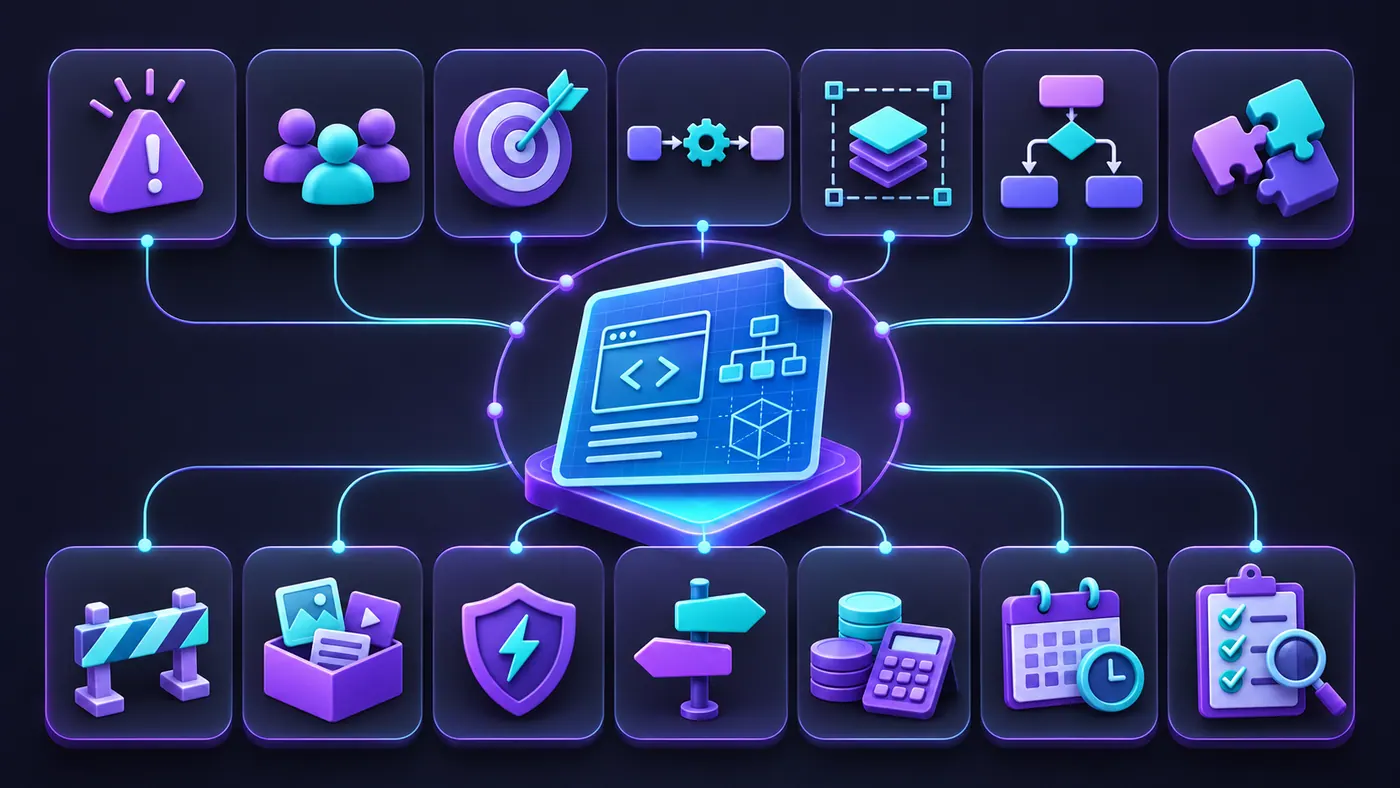
Here is each section, what to write, and common mistakes.
1. Project summary (2–3 sentences)
State what you want to build and why, in plain language. Example: "We want a web portal where our wholesale customers can place orders, see stock and download invoices, so our sales team stops handling orders by phone and WhatsApp." Mistake: Starting with technology ("we need a React app") instead of the need.
2. The problem and who has it
Describe what is going wrong today, for whom, and what it costs you (time, money, lost customers). Mistake: Describing a solution instead of the problem. "We need a dashboard" tells a vendor nothing; "managers can't see overdue payments without asking accounts" does.
3. Users and roles
List each type of user (customer, staff, manager, admin), roughly how many of each, and what each needs to do. Mistake: Forgetting the admin or support role, which is often a significant chunk of work.
4. Goals and success measures
Write 2–4 measurable outcomes. Examples: "Cut order-entry time from 10 minutes to 2." "Reduce stock errors by half within three months." "Have 50 customers ordering online within 60 days of launch." Mistake: Vague goals like "improve efficiency." If you can't measure it, you can't tell if the project worked.
5. How it works today
Describe the current process step by step, including the tools, spreadsheets, messages and manual workarounds. Attach screenshots or sample files. Mistake: Describing how the process should work rather than how it does work.
6. Scope: must-have, should-have, nice-to-have, and out of scope
Use four buckets (sometimes called MoSCoW: must, should, could, won't).
- Must-have: the product is useless without it
- Should-have: important but there's a workaround
- Nice-to-have: adds value, can wait
- Out of scope: explicitly not included in this phase
Mistake: Listing everything as a must-have. If everything is a priority, nothing is.
7. Key workflows
Describe the 3–6 most important things users do, as short stories: "A customer logs in, sees available products and their prices, adds items, places an order, and receives a confirmation." Mistake: A long feature list without any story linking features to real use.
8. Integrations and data
List the systems this must connect with (accounting, payments, CRM, WhatsApp, courier, ERP), and the data that exists today (spreadsheets, databases) and needs to be imported. Mistake: Discovering a required integration after the quote is signed.
9. Constraints and requirements
Capture the non-negotiables: deadline and why, budget, preferred or required technology, languages (for example, English and Urdu), right-to-left support, offline use, devices and browsers, security or legal requirements, where data must be hosted. Mistake: Leaving out local realities such as unreliable internet, shared devices, or mobile-first users.
10. Existing assets
List what you already have: brand guidelines, designs, logos, domain names, hosting accounts, data, documentation, past vendor work. Mistake: Assuming a vendor knows what you have. Every missing asset becomes extra work.
11. Risks and assumptions
Be honest about what you're unsure of: "We assume customers will accept online ordering." "We don't know the quality of our existing data." Mistake: Hiding uncertainty. Stated risks help vendors propose how to reduce them.
12. Decision-making and communication
Name who will make decisions, who will test, how quickly you can give feedback, and how you prefer to communicate. Mistake: No single decision-maker. Feedback from five people with five opinions slows everything down.
13. Budget and timeline
Give a realistic budget range and a target date, plus whether the date is fixed (an event, a regulation) or flexible. Mistake: Withholding the budget. See the next section.
14. How you'll evaluate proposals
Tell vendors what matters: relevant experience, approach, communication, price, handover and support. Mistake: Choosing on price alone, then discovering what the low quote excluded.
Should you share your budget?
Many people hesitate. Here is why sharing a range usually helps:
- Without a number, vendors guess, and the guesses can differ by ten times for the same idea. A published 2026 comparison of SaaS MVP costs showed ranges from a few thousand dollars to well over $100,000 for similar-sounding projects. Our guide to SaaS MVP cost shows why.
- A range lets vendors design to fit, suggesting what to include now and what to defer.
- You can still negotiate. Sharing "$15,000–$25,000" doesn't oblige you to pay $25,000.
If you honestly don't know your budget, say so and ask vendors to price in tiers: essential, recommended and full.
A copy-and-paste project brief template
Copy this into a document and fill it in. Short, honest answers beat long, vague ones.
# Project Brief: [Project name]

**Prepared by:** [Name, role]  **Date:** [Date]  **Decision-maker:** [Name]

## 1. Summary
[2-3 sentences: what we want to build and why.]

## 2. The problem
- What is going wrong today:
- Who is affected:
- What it costs us (time, money, customers):

## 3. Users and roles
| Role | Approx. number | What they need to do |
|---|---|---|
| | | |

## 4. Goals and success measures
1. [Measurable goal]
2. [Measurable goal]
3. [Measurable goal]

## 5. How it works today
[Step-by-step. Attach screenshots, sample files and spreadsheets.]

## 6. Scope
**Must-have:**
-
**Should-have:**
-
**Nice-to-have:**
-
**Out of scope (for this phase):**
-

## 7. Key workflows
1. [User] does [action] so that [outcome].
2.
3.

## 8. Integrations and data
- Systems to connect:
- Existing data to import (format, size, quality):

## 9. Constraints and requirements
- Deadline (fixed or flexible, and why):
- Languages / right-to-left:
- Devices, browsers, offline needs:
- Security, legal or hosting requirements:
- Technology preferences or restrictions:

## 10. Existing assets
- Brand, designs, logos:
- Domains, hosting, accounts:
- Documentation, previous vendor work:

## 11. Risks and assumptions
-

## 12. Decisions and communication
- Decision-maker:
- Who tests and approves:
- Feedback turnaround we can commit to:
- Preferred communication:

## 13. Budget and timeline
- Budget range:
- Target launch date:

## 14. How we will evaluate proposals
- [Experience, approach, communication, price, handover and support]

## Questions we'd like vendors to answer
1. How would you approach this, and what would you do first?
2. What is included and excluded in your estimate?
3. Who will work on this, and how will we communicate?
4. How do you handle changes to scope?
5. What will we own and receive at the end (code, accounts, documentation)?
A short worked example
Here is how the first sections might look for a fictional business. This is an illustration, not a real client.
Summary: A food distributor wants a web portal so retail customers can place orders, check live stock and download invoices, replacing phone and WhatsApp ordering.
Problem: Orders arrive by phone and WhatsApp and are typed into a spreadsheet. About 1 in 20 orders has an error (wrong item or quantity). Salespeople spend roughly half their day entering orders. Customers can't see what is in stock.
Users: about 120 retail customers; 6 sales staff; 2 warehouse staff; 1 accountant; 1 admin.
Goals:
- Reduce order errors from about 5% to under 1% within three months.
- Have 60% of orders placed online within 90 days.
- Reduce order-entry time by at least 70%.
Scope:
- Must: customer login, product catalog with customer-specific prices, place an order, order history, stock visibility, invoice download, staff order management.
- Should: payment status display, reorder from past orders.
- Nice: online payments, WhatsApp notifications.
- Out of scope: mobile app, new accounting system.
Constraints: needs to work well on mobile and on slow connections; interface in English with Urdu labels on key screens; launch before the next major seasonal peak.
Budget: $12,000–$20,000. Timeline: about 12 weeks.
That one page already lets a vendor ask smart questions and give a meaningful range.
The 10-point quality check for your brief

Before you send it, check each of these:
- Could a stranger explain the project back to you after reading it?
- Does it describe the problem separately from any solution?
- Does it name each type of user?
- Are there 2–4 measurable success goals?
- Are must-haves a short list?
- Is there an explicit out-of-scope list?
- Are integrations and existing data mentioned?
- Are budget and timeline given as ranges?
- Is there one named decision-maker?
- Did someone outside the project read it and tell you what's unclear?
If you can tick eight or more, the brief is ready.
Common mistakes (and quick fixes)
| Mistake | Why it hurts | Fix |
|---|---|---|
| Starting with the technology | Locks you into a solution before the problem is understood | Describe the need first; invite the vendor to propose |
| Everything is a must-have | Inflates the quote and delays launch | Force a ranking: "if we could only launch with five things, which?" |
| No success measures | You can't tell if it worked | Add 2–4 numbers |
| Hiding the budget | Wildly different quotes | Share a range |
| Skipping the current process | Hidden steps and exceptions appear mid-build | Walk through a real example, with files |
| Too many decision-makers | Slow, contradictory feedback | Name one |
| Treating the brief as final | Real needs emerge during discovery | Plan to refine it |
From brief to discovery: what comes next
A brief tells vendors what you want. Discovery tests whether it makes sense, and produces the plan the build will follow.
Published guides commonly describe a focused discovery phase as taking about two to four weeks, covering stakeholder conversations, user research, competitor review and technical scoping. For a small project, it may be shorter; for a complex one, longer.
What a good discovery should deliver
| Deliverable | What it is | Why it matters |
|---|---|---|
| Problem statement and goals | Agreed, measurable | Keeps everyone aiming at the same target |
| User roles and journeys | Who does what, in what order | Reveals missing features and unnecessary ones |
| Prioritized scope | Must / should / nice / out, agreed in writing | Controls the budget |
| Wireframes or a clickable prototype | Rough screens for key workflows | Lets you react before code exists |
| Technical approach | Architecture, integrations, data plan | Surfaces risks and dependencies early |
| Risk list | What could go wrong and how to reduce it | Avoids surprises |
| Estimate and plan | Milestones, timeline, cost range or fixed price | Lets you decide with real numbers |
| Acceptance criteria | What "done" means for each milestone | Prevents disputes at delivery |
Signs of a good (and a bad) discovery
Good:
- The team asks about your customers, data and constraints, not just features
- You see written outputs, not just meetings
- Risks and unknowns are listed honestly
- The result lets you take the plan to another vendor if you wish
- Pricing for discovery is clear and the scope is time-boxed
Bad:
- A long workshop with no written deliverables
- A final estimate that is simply the first quote with a new cover
- No mention of risks, integrations or data quality
- Pressure to sign the build contract before the discovery output is shared
Should discovery be paid? Usually yes. A paid, time-boxed discovery gives the team the time to do it properly and gives you a plan you own. Free "discovery" often means a sales conversation. For smaller projects, a short paid scoping exercise is a sensible compromise.
How to use your brief to compare proposals
Send the same brief to 2–4 vendors, then score each response. Adjust the weights to your priorities:
| Criterion | Weight | What to look for |
|---|---|---|
| Understanding of your problem | 25% | Did they reflect your goals back and ask good questions? |
| Relevant experience | 20% | Similar projects, references, evidence |
| Approach and plan | 20% | Phases, milestones, acceptance checks, risks |
| Communication and team | 15% | Who does the work, how you'll talk, response times |
| Price and value | 10% | Itemized, with assumptions and exclusions |
| Handover and support | 10% | Ownership of code and accounts, documentation, support terms |
Price carries only 10% here on purpose: the cheapest proposal is often the one that left things out. Our software handover checklist explains the last row in detail.
Need help turning an idea into a brief?
If you have a rough idea, a spreadsheet or a list of problems, we can help you turn it into a clear scope, a prioritized plan and a realistic estimate, with milestones, acceptance checks and a practical handover.
Sources and notes: the Standish Group CHAOS research is widely cited for the role of requirements in project outcomes; its figures differ between editions and its methodology has been debated, so we cite it as direction, not as a precise rate. Discovery duration and rework-reduction figures come from published agency guides (for example Baytech Consulting (opens in a new tab)) and are vendor-reported. The template, scoring weights and worked example are illustrative; adapt them to your project.
Common questions